 |
|||
 |
 |
||
Getting started is easy! Just follow these simple 1. Click the Download Now button to start the process. |
|||
 |
|||
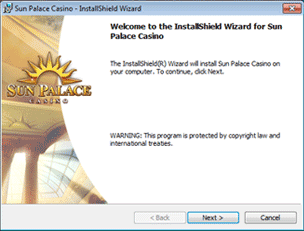
2. The Install dialog box will appear. Select Next. |
|||
 |
|||
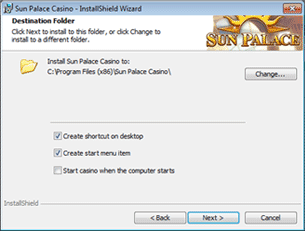
| 3. The Destination Folder dialog box will appear. Select Next. | |||
 |
|||
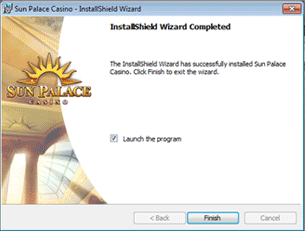
| 4. The Install Complete dialog box will appear. Select Finish. | |||
 |
|||
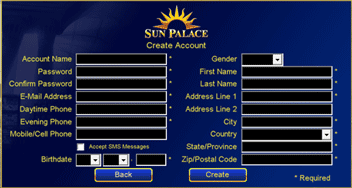
| 5. Create your account. Once registration is complete you will be prompted to login with your username and password. | |||
 |
|||
 |
A Sun Palace Casino icon will be placed on your desktop for convenient access to the casino. | ||
| Click here to get started. | |||
|
|||


